
Sales by Client Report
The Sales by Client report shows a summary of the total income generated from each client and the total income they have paid. This report gives you an idea of how much has been generated within a time period, how much of that income has been paid and by who. To view the sales by client report:
- Click Reports from the menu bar and select Reports from the vertical tab.
- Select Sales by Client Report
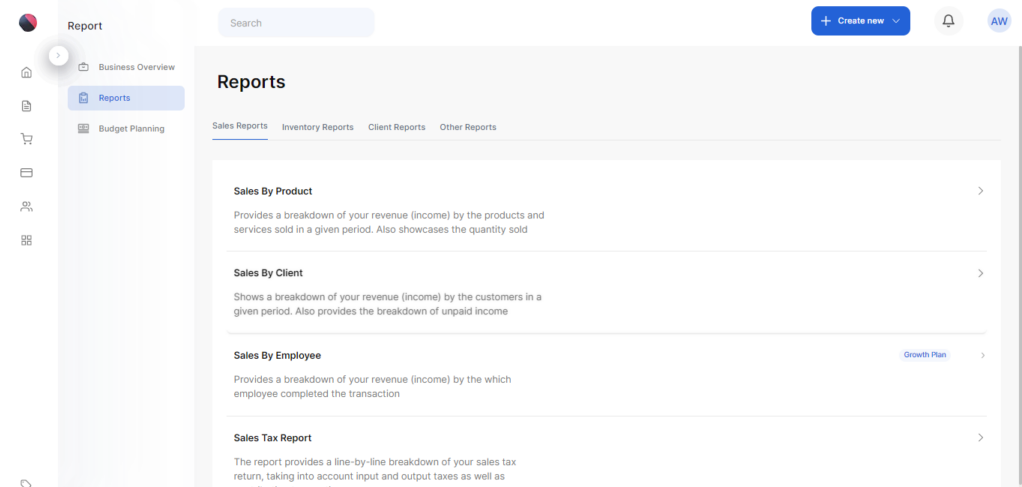
- The sales by client report is displayed.
- Note that you can edit the date period on which you want a report by clicking on the arrow in the Date period box
- Click on Run Report to get your report for the selected period.
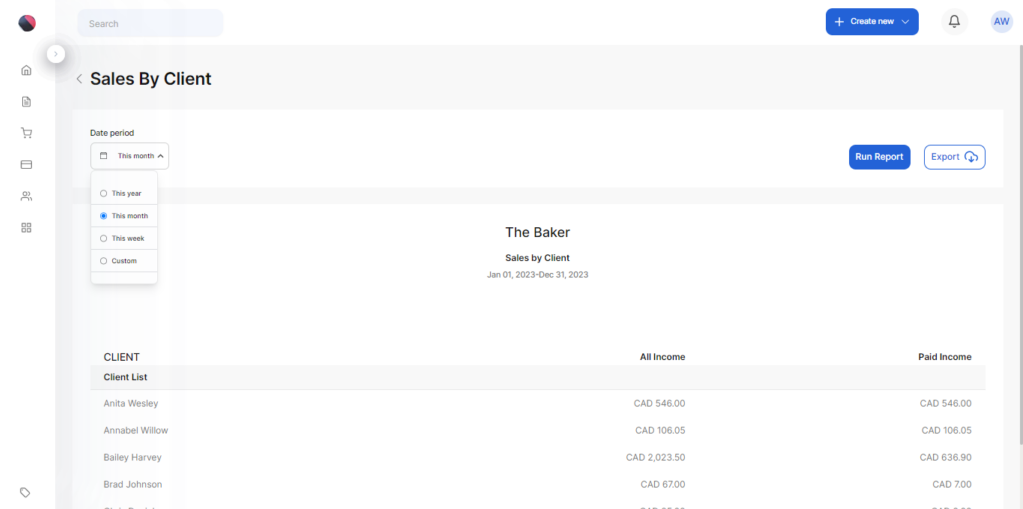
- You can export the report as a PDF or CSV by clicking the Export button and selecting which of the two formats you want.
- Click Export to download your file.