
Edit Purchase Order
Editing a Purchase order on Vencru is easy. You can always go back to update the details of an already-created PO. To do this:
- On the list of POs created, find and select the PO you want to view
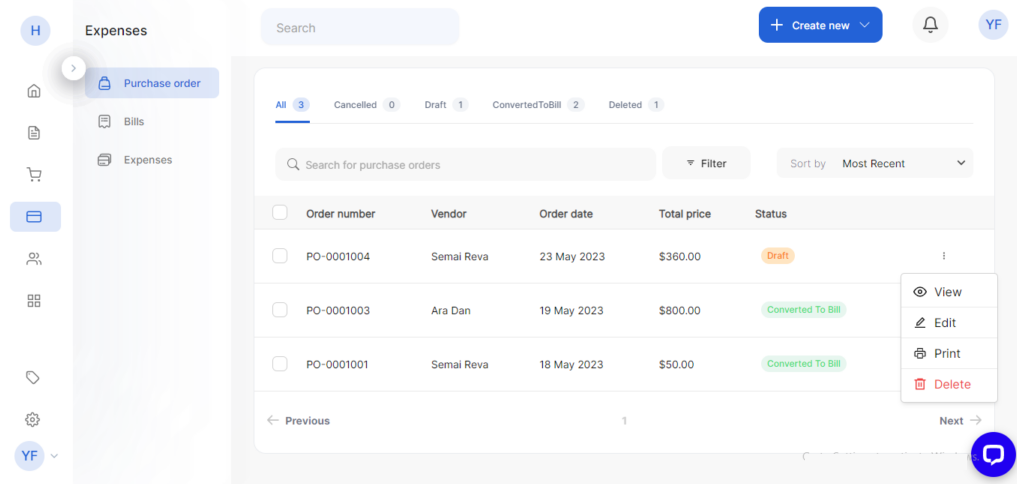
- Click edit from the drop-down
- Update the PO with the relevant information
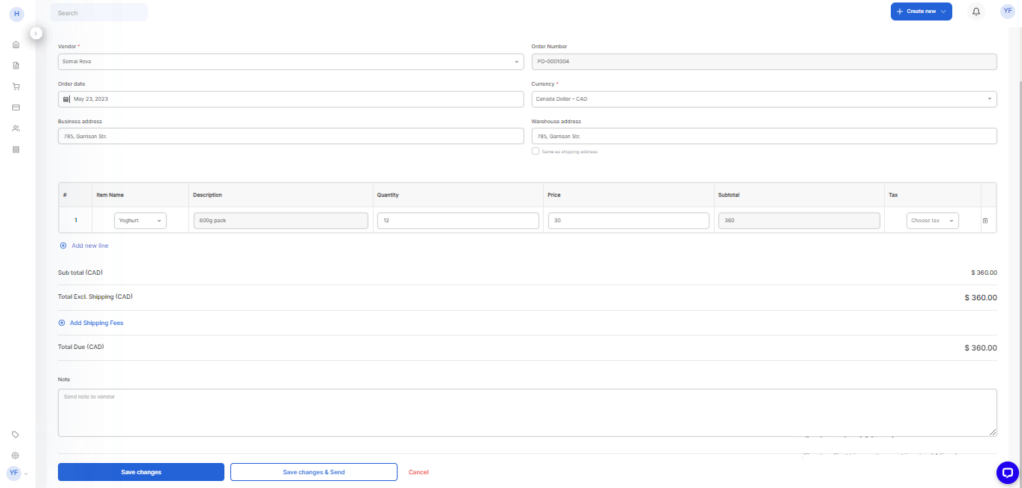
- Click Save changes or Save changes and send