
Import products
- Click on the Create new button and select Inventory on the drop-down menu OR
- Click Inventory from the menu bar
- Click on Add new item
- Click on Import item
- Click download a sample file here to get the template document
- Click on the upload button or browse the file button to upload a document containing the inventory list.
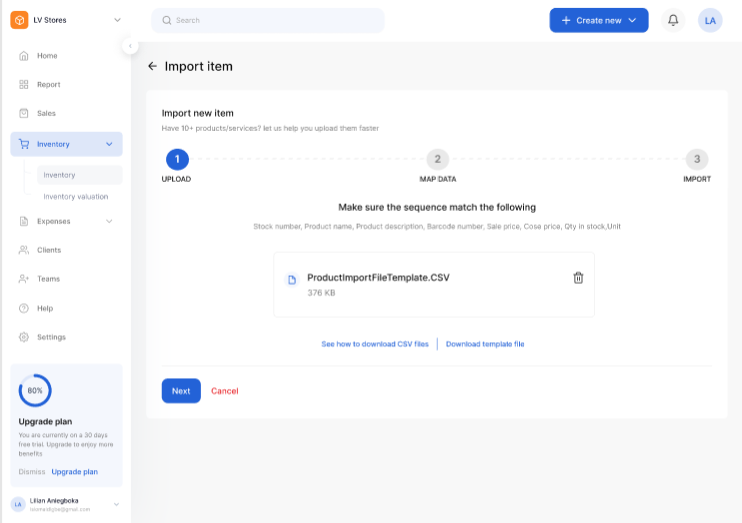
- Click on the next
- Match fields from the imported file to fixed fields
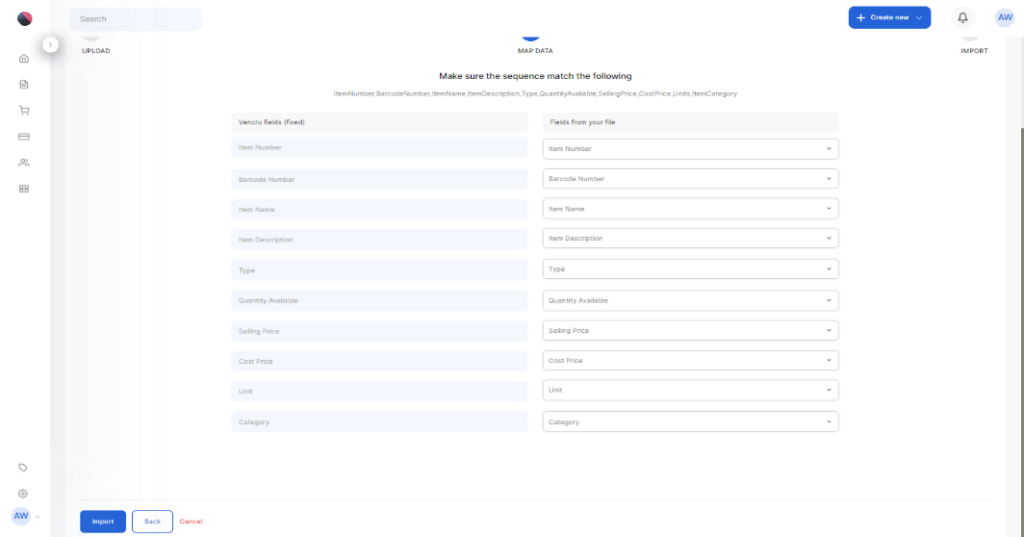
- Click on Import
- Click on Go to import list or Download error list if required
Check out our video tutorial here